Week Ten – VR, AR, and Games ?

Hi everyone,

This week we looked at digital heritage through the realm of virtual reality (VR), augmented reality (AR, a 3DS can do this!), and 3d.

There is so much possibility for digital heritage here! I was especially impressed by Street Museum, an app that brings up historical images based on your location. It would be fantastic to see this expand to other locations, and even have people contribute their own images, like a fusion between Raidiooooo and Google Maps.

Speaking of Google, we also looked at Google Arts and Culture’s virtual tour of the National Museum of Australia. I’m already quite familiar with the virtual tours, having used them in the past to ward away boredom and to admire museums from afar (the Museum of Islamic Art in Qatar looks a lot like the Art Gallery of Western Australia, or at least the atrium does.) I really hope that more cultural sites and institutions are added, and that new and exciting ways of virtually accessing cultural material becomes available.

Until next time

Jacinta?
Week Seven – Adventures in Time and Space ?

I really love everything about maps. Well, physical maps at least.

It was strange looking into all the different mapping tools after taking Cultural Heritage Field School last semester and using ArcGIS.

The highlight of this lesson was georectifying the map of 1865 Melbourne. I wonder whether you could pop these over Google maps for an authentic self-guided tour of a city? Plus, add on the information from Know That Property and you’ve got yourself an exciting tour!

Jacinta?

Week Four – Big Data ◼️ Small Data ▪️

Hey everyone,

This week was all about data. Focusing on Australian data sources, it was interesting to see the types of data that is available to use for digital heritage projects.

One of the data sources is the Australian Data Archive who hosts digital records of census data from 1833 to 1901. Though I didn’t make a graph with the data on Plot.ly, a graph making site that I didn’t want to sign up for, I am aware of the benefits of presenting information in a graph. Graphs are an easy and accessible way to quickly present information and identify trends.

Other sources of data can come form state and federal sites such as data.gov.au and data.act.gov.au however I found that these sites require some digging for heritage related content and when I finally found content it was in a weird format. Luckily WTFcsv was available to use. WTFcsv is a site that breaks down the content of a cvs file graphs it for you! If only there were more sites like plot.ly and WTFcsv.

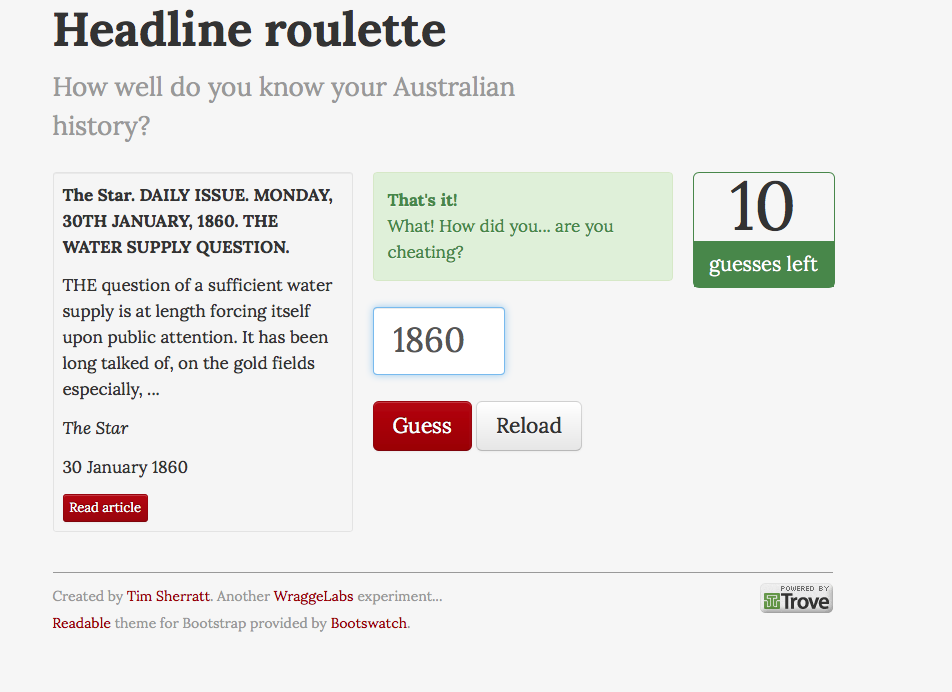
I didn’t quite understand the API and data scraping concepts however the highlight of the lesson was playing around on Headline Roulette as it was fun and engaging. A few times the site did give me the answer, usually within the headline or first few pars (sentence in journo language). Sorry, Tim.

screen-shot-2016-10-27-at-1-16-31-pm

Jacinta?

Week Three – Collections and Contexts ?

Hi everyone,

Tim was in the Netherlands ?? this week so we were left to complete this week’s activities at home.

Starting off with an exercise in Google search we were asked to look up images of professional hairstyles and unprofessional hairstyles. I was really surprised when there were no Mohawks in sight for the unprofessional styles; instead the results were of natural African hair. Looking at professional hairstyles the results were starkly different, almost all white women! Though apparently Google’s search algorithm was ‘mirroring conversations about “unprofessional hair”’ I felt as if Google could have done more to avoid controversy and reputational risk though variation of its search results more (where were the Mohawks?!)

This exercise flowed into the topic of bias and selection for digital cultural material. I found a lot of the material difficult to follow without guidance. But the idea I got from it was that there is a lot of content that gets buried in search engines like Google and Trove, and the issues surrounding how we curate our online content like culturally sensitive or copyrighted materials.

Introductions?

Hi!

I’m Jacinta and I study a bachelor of Heritage, Museums, and Conservation at the University of Canberra. My goal is to work in preventive conservation and to find fun and engaging ways to incorporate my minor in journalism into the field of heritage. Here is where I’ll be posting my reflections, thoughts, and experiences on the unit Exploring Digital Heritage!

In my spare time I enjoy second hand shopping, court reporting, 80s movies/music, hosting murder mystery parties, hiking, listening to podcasts (especially 99% Invisible and Snap Judgement!), and visiting art galleries!

See you around!

Jacinta?

img_2016-06-09-125727

Update: You can now find me on Twitter @honeychiler 

Reflections for Week 4

Looking at the varieties of data and how they can be used to support a specific project or outcome in the Cultural Heritage field can be quite daunting, the results of any data based exercise, including data mining, rely primarily on the data being complete and verifiable by several independent sources.

I really liked the visual outcomes and flexibility of plot.ly it is a tool I will use back in the office for data visualisation (labour usage/frequency, energy consumption).

As for the data repositories, there were many I had never used, and in visiting them, it was apparent that these repositories are for specific data, managed and verified by the government agencies and organised to enable faster access for specific analysis tasks.

css.php