The video about data visualisation i found to be helpful because i sometimes do work best when i am given a broad 3 minute video as a introduction and then work onward. Out of the two critically thinking websites that i was to talk about i found the origin of species edition chart to be the most interesting. It was also pretty memerising to watch. While the Kindred Britain website was impressive it was hard to navigate at times. I wouldn’t use it above a search engine like wikipedia. I really did struggle with plot.ly but overall i needed help with figuring out how to work the graph programs.
Category: Reflection
Week 4 Reflections
Data can be used to question, inform, and shape your perspective. It can be mined from historical documents, scanned images, government datasets and cultural organisation records. Application Programming Interfaces (API) provide data in a form that computers can understand, and allow us to build new tools and interfaces. CSV files can be uploaded and explored at websites like WTFCSV at https://www.databasic.io/en/wtfcsv/. It’s nice to see my csv collection data file analysed in different ways and gives me instant graphics to use for proposals and reports.

 Trove Harvester uses API to save data about newspaper articles to a CSV file for further analysis. This certainly looks like something to explore later on. Cleaning up datasets has certainly been a job I’ve had to do before and normally I ask for help. Finding out about OpenRefine has been useful and I look forward to using it to clear out blank cells, duplicate entries, and typing errors. Unfortunately, the tutorial links in the lesson outline were not working so I was unable to explore very far.
Week 13: Reflection Reflection
This week we reflected on the whole semester, and as we covered a lot of ground it offers a good insight into the more generalised questions of digital humanities. What is it for? What does it change? As well as the morals and ethics.
I think Tim highlighted a great point with his Australian Policy piece, that digital humanities is about making difference, about taking what we already are doing with data from history and heritage, and churning it through new perspective. The internet is not set, we can change and play with it, just like history, and it’s our moral duty to change it in a way that can better be accessed and engaged with whilst not silencing anyone’s stories. To me that’s what the unit has been about, using these tools in a way to better an existing data set so that stories can be told and seen and shown.
I particularly liked Miriam Posner’s reading, in particular to the critical tone she set in identifying the limits of digital humanities so far, and in that recognising how much more we can do! In particular things like how maps are set by one person or rule, and how interesting would it be that google maps or the like used Indigenous maps? Questions like this, the what if as identified in class is a huge driver of this study, and to look at the digital tools critically – not just taking them as they are and changing them ourselves – and to realise the potential Thomas Padilla is talking about is to not just use the digital world but to master it.
Final Project Reflection – Pilbara Indigenous Language Map – u3068541
The Pilbara Indigenous Language Map intends to be an easy to use portal to access information regarding the many languages of indigenous peoples of the Pilbara region in North Western Australia. This project aims to build on the data provided by the AUSTLANG Indigenous Languages Map, which is an excellent national database of Australia’s indigenous Languages, and the Wangka Maya Pilbara Aboriginal Language Centre, which offers in-depth information of the languages and cultures of the region.
Users of this map, should be able to browse the region, and sample portions of information relating to the listed languages. The information listed is intended to be a brief overview of the language, with links to further information from the Wangka Maya Pilbara Resource Centre. The languages listed are the top languages of the Pilbara region that still have fluent speakers, according to AIATSIS data.
In making this map I have attempted to explore the possibilities of a simple, humanities-focused interactive map as an alternative form of displaying data. I elected to use Carto mapping software, for a few reasons. It seemed to user friendly enough, whilst still being versatile and robust. It also has a variety of visual options built in, including various base maps to choose from, as well as different data-display options. Also, it’s open and free software with extensive tutorial information. Whilst making the map, I found Carto to be an excellent program overall, with only the occasional visual hiccup to be concerned about.
I did run into a few issues when creating the Language Map, most of which came from transferring data out of other data bases into Carto. The first, and likely most detrimental issues to the project, was collecting location data from AUSTLANG. Although all 1146 Indigenous Languages as recorded by AIATSIS have been mapped on the AUSTLANG language database, co-ordinates, and other geographical data is not freely accessible. The only location information is a visual pin on the inbuilt, google powered map, and the ability to search languages by state or territory. The AUSTLANG database also explains that the pinpoint locations are approximated. The obvious issue here is that the Carto software requires geographical data (latitude and longitude) to display information on the map. My workaround for this issue was to compare the AUSTLANG pin locations, with a separate google map, and as best I could mark an identical point on the second map. The latitude and longitude from the second google map was input into Carto to form new pin points. The issue here is that the location points used for languages in the final map are inherently incorrect, as they are approximations (based on locations that were approximated).
Reflecting on the map, I have thought of a different work around. To copy the pin point locations into Carto more accurate from AUSTLANG, I would create a screen shot image of the AUSTLANG map with the pinpoint of each language in the Pilbara marked. I would then take that image, and georectify it, using MapWarper. Once georectified, the image of the AUSTLANG map, would have the Latitude and Longitude information necessary to input into Carto. I couldn’t do this method because of time constraints, as one of the issues with the AUSTLANG map, is that it doesn’t display pin points well when looking at a large portion of the map, therefore, creating an image version of the AUSTLANG map would require taking multiple screenshots, and stitching them together.
This also brings forth an issue with using specific mapping points for a humanities project such as this. This project is intended to map language and culture of indigenous people, whose strong connection to land doesn’t necessarily involve longitude and latitude data. My point here is that specific pinpoint locations don’t translate such intangible information, such as people and tribal areas, whose boundaries can be vague.
What I was happy with, was the information supplied by the Wangka Maya Pilbara Aboriginal Language Centre. Where AUSTLANG reads as quite dry information, Wangka Maya, being able to focus on around 20 languages rather than 1100, provides better descriptions of the languages, and the people that speak them. In an ideal version of this project, more of the resources from Wangka Maya, such as photographs of elders, and educational tools would be integrated into the map.
As far as meeting my original aims, I believe the map is on the right track. The simple layout and user interface of Carto displays the AIATSIS and Wangka Maya information in an easily digestible way for the user to browse. While I’m happy with how the map feels to use, the dataset needs serious expansion. I have only used languages that still have speakers, when users should be able to learn about any language that has been recorded. So not only should there be more data points, but each of the data points should have slightly more information. Photos and other resources should be directly accessible within the map. Also, AUSTLANG lists the connections between different languages and dialects, which would ideally be integrated into the map.
Overall, I am happy with the final product, but am painfully aware of the possibilities of such a project if it were to have deeper information inbuilt into the map, or even to have its scope expanded to a larger region. I believe a National version of the map would be an incredibly useful resource for people to explore the indigenous language and culture of their country.
Project Reflection
Project Summary
The ‘Tiananmen Massacre Timeline’ project have two parts: the timeline created by TimelineJS, the online discussion group. The timeline is intend to give people a clear and comprehensive view of Tiananmen Massacre in 1989, and inspire target audiences (Public, Journalists and Media, Researchers and Students). People can click the dots on the timeline, or click the direction button to view the text, images, videos, tweets on each page. The timeline will be updated by myself regularly, add, delete, modify. Another part, the online discussion group is intend to give people a platform to share more things about Tiananmen Massacre. As the owner of the group, I will also post things about Tiananmen Massacre regularly.
What I learned
To be honest, making a timeline is a ‘hard work’ rather than other kinds full of skills, making people feel ‘magic’. You just need to put date, tittle, text, media, credit into spread sheet and go to TimelineJS to generate the timeline. Then I created a Google group to give people a place to discuss, share anything about Tiananmen massacre. I don’t feel hard to use these tools, they are very easy to use. So what I learned is:
The ability to collect and select relevant materials and information. When I was doing the timeline, I visited lots of resources, including Trove, CNN, BBC, Soundcloud, Twitter, YouTube and others. Some of them are good, very relevant to the timeline theme, some are not good enough, or not reliable enough.
The ability to telling the story logically by using these materials. Another important task for creating a timeline is telling the story logically, especially for people who don’t know about that. In fact, before I start making the timeline and collect materials, I don’t have a clear image about 64 Tiananmen in my mind, I just know lots of people were killed, the tank man, I even don’t know why it start. In my timeline, I have introduced Hu Yaobang’s death is the fuse of student protest, then, the students and government’s conflict became the massacre. I can’t say my timeline has properly tell the story, and logically, however, if people have any doubt they can visit the Google group I created for people to discuss, and provide me any advice.
In fact, many videos voiceover are Chinese, one reason is it’s difficult to find same or similar material in English, another reason is part of the timeline audience are speaking Chinese. So for non-Chinese speakers they can’t fully understand the content, but with the pages before and after, I think they can roughly understand them.
Assessment
As I said in ‘what I learned’, an important thing for timeline is telling the story clearly, logically. I think my project has meet this aim, but there still many shortcomings in my storytelling, like the transaction are not very clear, too many media but I’m not sure whether they can tell story clearly.
I have switch to Google group to let people discuss rather than a website created by Wix. The reason is, one of my aim for this project is give people a platform to discuss and interactive, share, and make the timeline become better. Just creating a website can’t realize it, or it’s hard for me to realize it. However, creating a Google group can easily achieve this goal, people can share, discuss, and help build the timeline. I have put a shared link of the spreadsheet I use for the timeline, it’s in view mode, people need to make a copy. However, it’s not compulsory for them. There still no other people come to this group yet, but I think it’s a good demonstration for my aim.
How the project might be extended
My project is a demonstration to show the Chinese modern times democracy movement. Some people may care about the impact of Tiananmen Massacre, and other Chinese democracy movement, like The Umbrella Movement in Hong Kong, Sunflower Movement in Taiwan, they are similar like Tiananmen protest, initiated by the student, asking for democracy from Chinese central government. There are no people dead in that two movement, but still worth commemorate, and they are still continue.
So the project can be extended to show these two democracy movement in Hong Kong and Taiwan, and other democracy movement or human rights movement in China. For example, from June 2015, many lawyers who protect people’s rights were arrested by Chinese government, they claim didn’t do anything wrong, though Chinese government said those lawyers doing their job in illegal way. So this also can be presented in a timeline.
Or, I’m good at making videos, so I can making videos to present these kinds of movement.
And as the aims of my project, let people share, discuss, help build the project, it can be the extension.
I can also use other storytelling tools to told the story. Like storify, I learned it from ‘Digital Media Literacy’. And to be honest, I think TimelineJS is not good enough, it can’t show the image included in the Tweeter, and it can’t automatically extract information from the web page, however, Storify can do it. So I can use Storify to telling the story as well.
Week 3 Reflections
After completing Week 2’s lesson I was left with the belief that the internet was full of people following their passions – and that the online documentation was simply part of that passion. Whether they are finding, collecting or using ‘stuff’ or information, the whole process has taken over our free time. Crowdsourcing is often just a way to finance such activities and gives others an important sense of being part of the whole process.
Week 3’s coverage of online search results is certainly eye-opening and not surprising. I’ve felt that many times my google searches have picked up on subjects I’ve discussed in emails with friends, and that facebook advertisements pick up on topics that friends might share on my feed. I probably do this myself – unfollowing friends who post political views in opposition to my own – and create my own bubble.
Mitchell Whitelaw’s article ‘Generous Interfaces for Digital Cultural Collections’ explores search queries and how much information is withheld when we don’t know what we are looking for. My own experience is rather focused – I very rarely go browsing in online or actual collections. I’m more inclined to book a private session to view a few items, visit a particular gallery to view one part of a collection or follow leads online to find answers for a particular research question. My problems with the easier access to many overseas collections is that they are now deciding what part of the object I want to see. If I look at a garment the museum has already assumed that I wish to view the outside features, and may no longer allow appointments for me to see interior construction details. On the other hand, the online viewing platform has made it easier to identify the items which I will then try to make appointments to view for further investigation.
Week 12 reflections (LAST WEEK!)
Alright here we go, the last reflection for the unit. I’ll open here by saying that I’ve found the themes and resources of this unit fascinating, and I think it has positively impacted how I think about not only digital heritage, but also heritage in general.
Anyway, lets move on to the last meme of the semester:
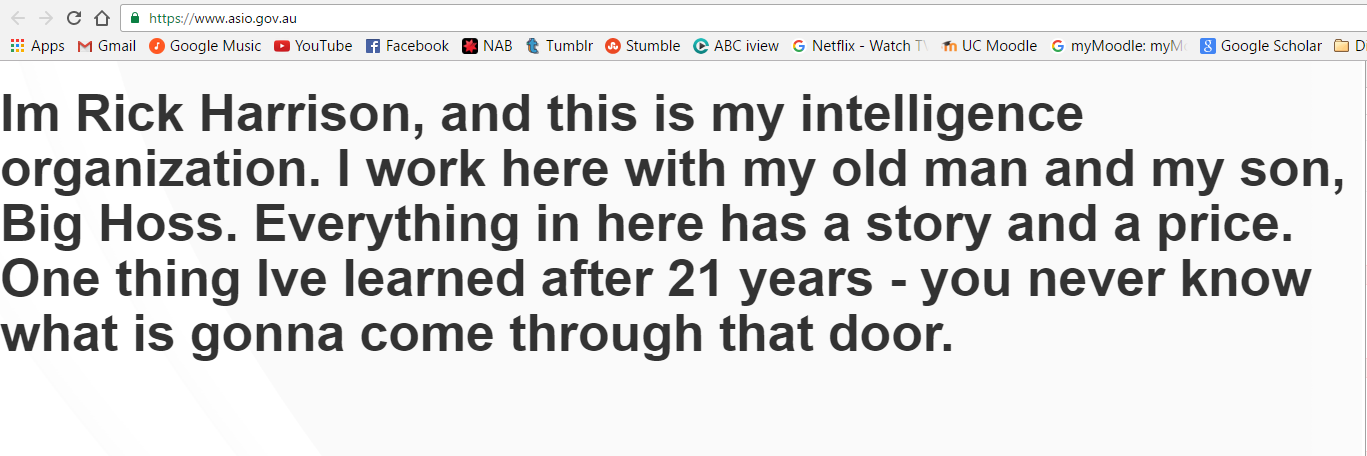
I really like Thomas Padilla’s language. I found phrases like the following inspiring.
“…rather the work is intended to build upon our commitments to support nothing less than the ability to experience life as worth living.”
What I also found inspiring is that in all three readings, and seen many times previously in the semester, we have seen projects that have sought to represent marginalised people, who are so often left out of traditional heritage lenses.
But as we saw earlier in the semester as, the same resources used to create projects that are ‘good,’ can be used to create projects that are awful.
I’m not quite sure where we stand ethically as far as restricting access to raw resources, such as Trove, but I assume we’re generally against it.
My point here is that although we can’t (and probably shouldn’t) restrict data from people, it is the ethical responsibility of digital heritage practitioners to create more projects that celebrate the diverse experiences of the world, than those that seek to divide.
Week 11 – Reflection
This week we looked at archiving the web. I explored some flash backs to the past like Pacman and Windows 3.1. I was definitely taken back to my childhood with my mother playing solitaire in the kitchen. Archiving the web is fantastic for time travel. We can create whole worlds within our computers and never feel like we left a decade.
I also tried the Wayback machine. Now I am not sure if I am using it wrong but I did find that some younger websites that I tested did not give much detail at all. Even though some sites were created in 2013-2014 the earliest date I could get was around mid 2015 and even these snapshots didn’t display images and fonts. I wonder if the website builder used for individual websites has something to do with how these sites are archived in the wayback machine. I tested some older sites and while they could take me back to 2004, the captures were pretty much blank until I reached 2015.
Web archiving is certainly something that needs wide attention for historical records. Although it does create an individual and perhaps moral conundrum for people who want something removed from their website for reasons such as character deformation, wrong information being displayed, mismatched facts etc. The old saying that ‘once something is on the web, it is there forever’, really comes to mind.
The twitter archive not only has archival benefits for historical records but also trend migration. I see the use of TAGS being archived very helpful when exploring the way news travels and what topics are popular at different times. Combine this with real world news events and we have the start of a map for how news and events influences behaviour.
Week 10 – Reflection
The main difference I feel with AR, VR and 3D experiences today when compared to virtual experiences ten and twenty years ago, is that the public are more accepting of it and our acceptance is only going to grow. Nothing is truly different, just modified, expanded and more appealing to the modern eye. So integrating virtual experiences into museums will definitely aid in the learning and entertainment practice of institutions overall. How this is ultimately done will depend on how the public receives it and inturn will be adjusted accordingly.
This week I experimented with the 123Dcatch App. I created an image of a vitage kitchen scale. Check it out below in the link – http://www.123dapp.com/Catch/Vintage-Persinware-Kitchen-Scale/6285472
I did go on to experiment with meshmixer and sketchfab however it is all very fiddly and like many weeks before I feel I need to just move on in order to cover the workload, after all it took 4 tries to capture an image in 3D that was presentable.
One of the best ways to engage and learn is by using our senses, smell, taste, touch, sight and hearing. The use of 3D images and printers to recreate objects would definitely aid in the learning value to students. Replicas are a great way of understanding the past and the future. Engineers and architects use 3D models to predict the viability of buildings before spending time and money on implementing them. We use 3D models in chemistry to reconstruct models of atoms that cannot be seen by the naked eye. The benefits of 3D structures are already in place. Unlike the real thing however the smell, weight, textures etc of the object may not match up and this could potentially harm a learning experience. An image comes to mind from my Geochemistry class last semester. Two people side by side held up a bar of gold. To the unknowing person it looked like they both were rich. However someone with a little more ‘real’ experience could notice the difference between the two. One person held it low by their waist while the other person held it high above their head. This wasn’t a battle of strength, this was an image of what it takes to hold the real thing which is extremely heavy compared to a lightweight fake.
No matter how much we can offer a virtual experience we are still going to want to experience the real thing. We are improving on the realness of the experience but that will never replace first hand experiences. The main difference I note with a virtual made up experience and the real thing is the dirt. The dirt is cleaned up for public viewing. The virtual tour of Rome showed buildings in mint condition, they weren’t falling down, half built, cracked, pooped on, burnt, dirty. They were clean and presentable.
Medieval or pilgrim re-enactments for example deliberately cut out some of the harsher conditions of the time. As best as people strive to re-create the exact conditions, some of the things left out are the actual blood, dead bodies, the stinky toilet pits and days without a shower. The re-enactments are all very sanitary and it appears that virtual history is heading the same way. Reflecting back on my 3D image, it actually appears in worse condition in the 3D image then it is in real life. However, had I pursued cleaning it up and better quality photography it too could look better then it is. It is something we the people are just going to have to muddle through, we will debate, protest and go back to the drawing board time and time again when it comes to how we wish history to be portrayed in the present day.
Reflections for Week 12
This week I continued to work on the website, it is starting to look quite good
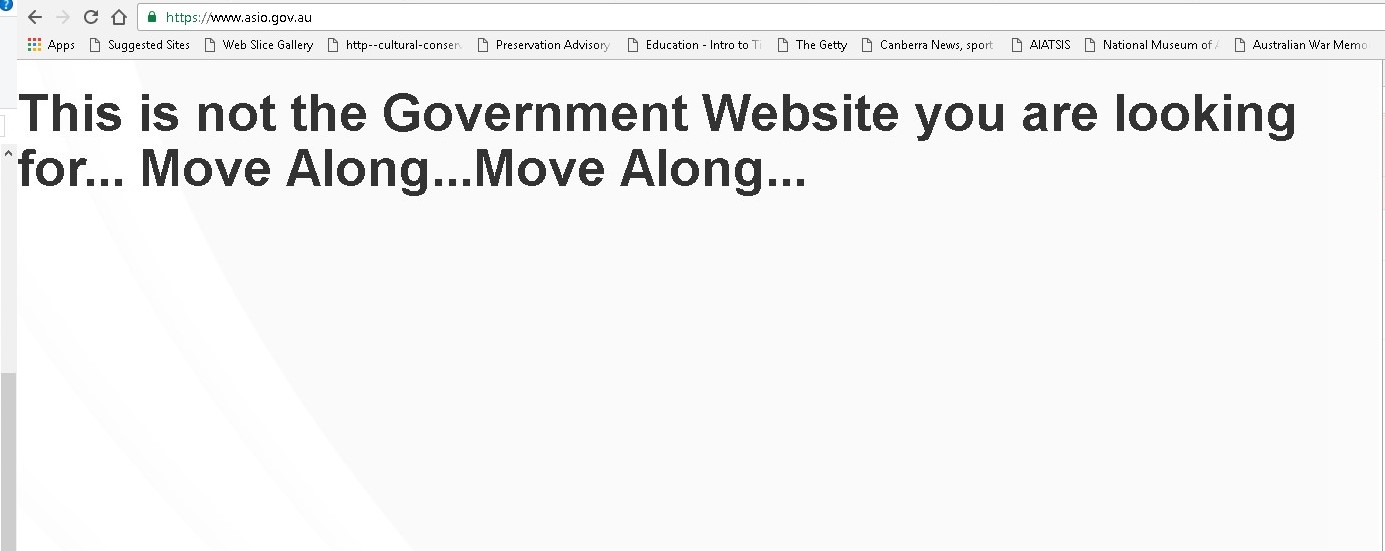
From a Lesson perspective we were back onto the website console again and this week we just copied and pasted some content to change the view of the site to say ‘All your secrets are belong to us’ on the ASIO website.

Not happy intil I tried it myself I altered the script and tried it in both ASIO and ASD websites (and then there was a loud knock on the door…fortunately it was just pizza!).

Thank you, Tim, for a great semester! It was certainly a challenge to get my old Analogue head around some things but I enjoyed the Digital world challenges and overall it was an enjoyable experience.
